See which fields need fixing when models.json is invalid. Sending pauses until you repair and reload the configuration, helping prevent requests to an unintended endpoint.
MCP aliases, tool search, and nested Codemode calls follow the same permission checks. Upgrading keeps existing session and channel grants within their original scope.
Attachments stay with the correct turn. Cancelled or extension-handled messages no longer affect later Desktop turns or resend the previous assistant reply.
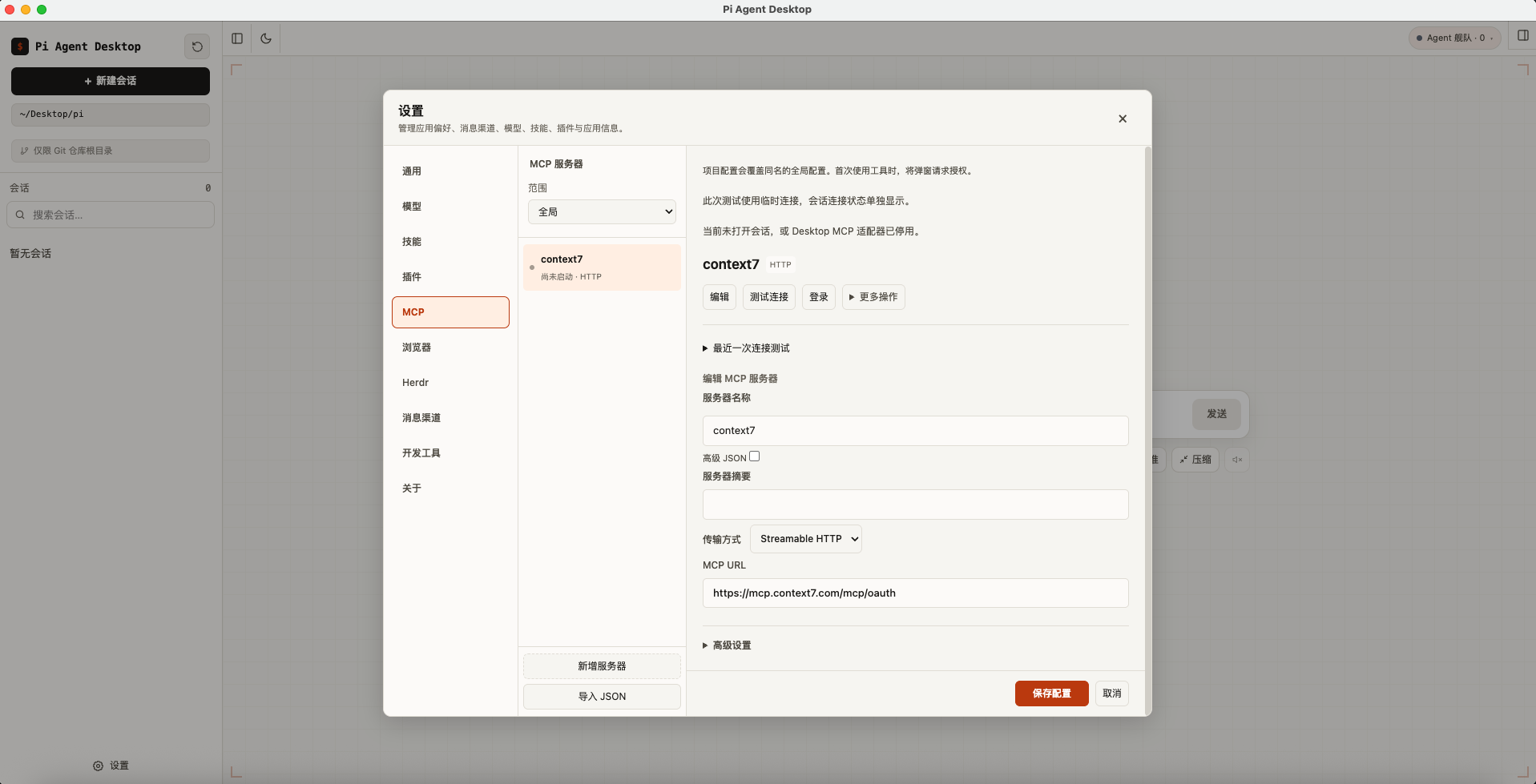
Connect local and remote tools with stdio or Streamable HTTP. Import configurations, sign in with OAuth, test connections, and preview resources in Settings.
Use Codemode to generate images, classify content, answer yes/no questions, or score results. Generated images stay available when you reopen the conversation.
Follow direct and nested tool calls in a branch-aware execution tree. Inspect status, duration, inputs, and full results, even after reopening or compacting a session.
From sessions, file previews, and a shared browser to Herdr Agent fleets, managed processes, models, extensions, and messaging, everyday work stays in one window.
A complete conversation experience
Adjust chat text, conversation width, and model-reply width; attach any file and queue Steer or Follow-up messages while pagination and deferred content keep long conversations responsive.
A browser shared with the Agent
Open real Chromium pages on the right with multiple tabs, profiles, and login state. After separate authorization, the Agent can read and operate the same page.
Conversational Herdr Agent fleets
Manage a local Agent fleet from the main conversation on macOS, Linux, and Windows x64, then observe, troubleshoot, or explicitly take keyboard control in the ANSI terminal.
A project-centered file experience
Manage Git branches and worktrees, recognize local Markdown paths, and use rich file actions while syntax highlighting, Mermaid, and KaTeX remain stable inside complex lists.
Models and extensions in one place
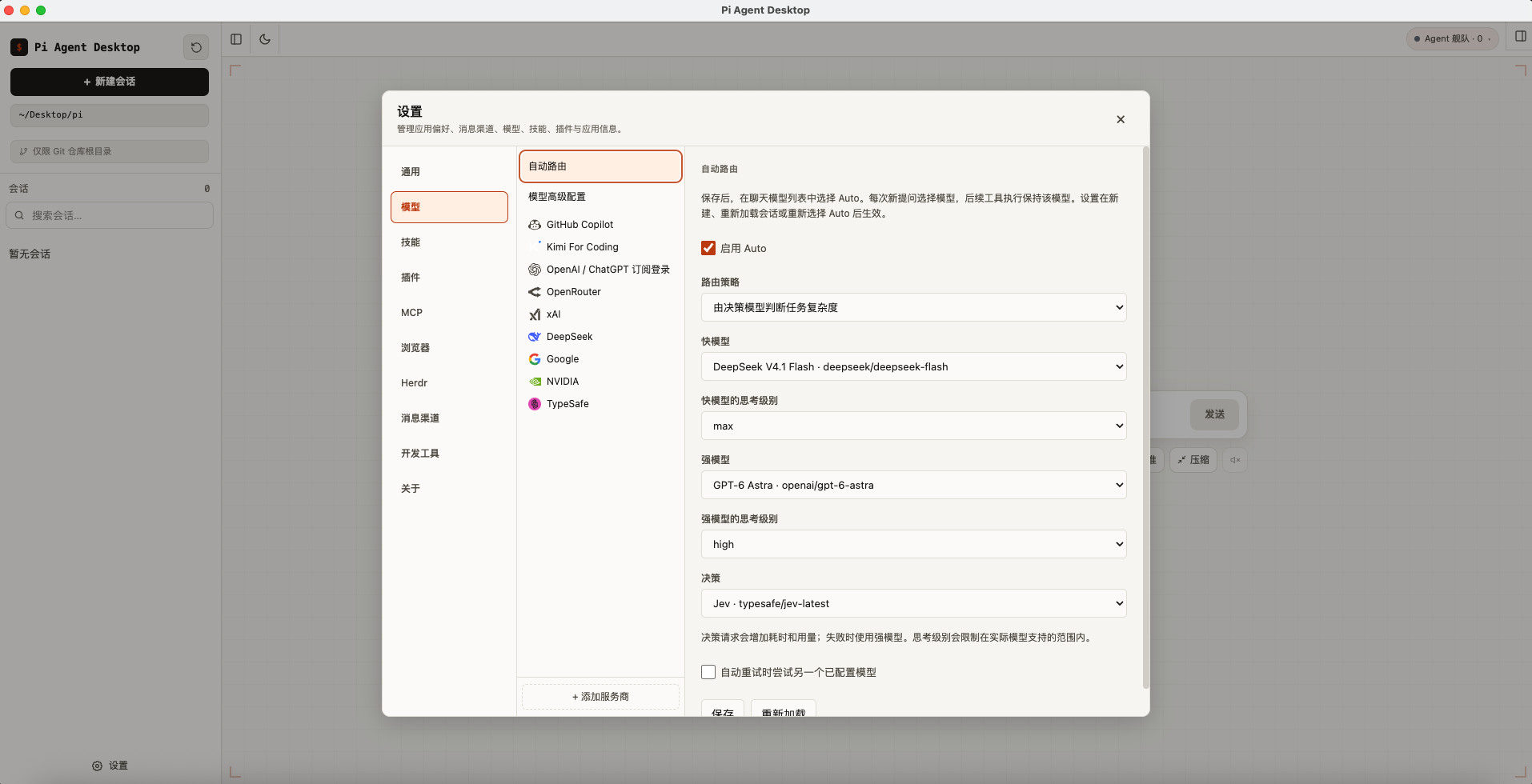
Pi Coding Agent 1.2.0 is included, with API key and subscription sign-in, model configuration, Auto routing, and advanced runtime controls.
Cross-platform developer tools
Discover and verify system tools, or install private Node.js, Python, Git, Bun, and common CLI runtimes on demand without changing the system PATH.
Messaging channels
Connect WeChat, Telegram, and Feishu / Lark. Create a new Feishu / Lark bot through the official QR flow or connect an existing custom app.
Observable managed processes
Let the Agent keep dev servers, watchers, and mock APIs running. Inspect state, readiness, and redacted logs, then stop, restart, or export logs from the right panel.
Secure by default
Renderer sandboxing, a strict CSP, and typed IPC contracts. The UI and control plane open no local ports; managed project services require explicit enablement.
Channels
Keep the conversation going away from your desk
Connect WeChat, Telegram, or Feishu / Lark. Remote conversations use isolated sessions by default, or can share context with the current desktop session.
WeChat · QR sign-inTelegram · Bot TokenFeishu / Lark · Official QR / Existing app
Architecture
Three isolated processes, sandboxed web content
Privileged desktop capabilities, the Agent runtime, and the UI are isolated. Agent Host connects the Browser, managed processes, and local Herdr Sessions.
Main process
Window · Tray · Updates Browser Views and network policy
Agent Host
Pi Coding Agent in a utilityProcess Browser · Processes · Herdr adapters
Renderer
React 19 UI Controlled preload bridge
Browser View
Real Chromium pages Sandbox · Profiles · Separate grants
Typed MessagePort IPCRevisioned Browser RPCNo control-plane portsPOSIX groups / Windows Job ObjectsHerdr protocol 20Sessions and Pi settings in ~/.pi/agent/
Privacy & Security
Your data stays on your machine
Local-first is the default behavior, not a slogan.
Local data — Sessions and Pi configuration stay on your machine by default ~/.pi/agent/
No internal ports — The UI and control plane open no local ports; user-started project services may listen on loopback
Download for Windows (x64)Download for macOS (Intel)Download for macOS (Apple Silicon)Download for Linux (x64 AppImage)Windows (x64)macOS (Intel)macOS (Apple Silicon)Linux (ARM64, not yet supported)Linux (x64)View downloads